
Karaoke bar website: take room bookings online, clear prices
A karaoke bar website shows your rooms and hourly prices by time band, and lets groups book with a live estimate. 7 things it needs, built free.

On a Friday night every karaoke bar gets a stream of messages: “any room for 10?”, “how much is the big room?”, “can you decorate for a birthday?”. A karaoke bar website with photos of each room type, prices by time band and a booking button with a live estimate answers most of them for you, even while you’re busy serving. Here is what it should include.
Quick summary: a karaoke bar website needs 7 things:
- Room types by group size, with real photos
- Prices by time band: daytime, evening, weekend
- Online booking with a live estimate
- All-in birthday and party packages
- A drinks and snacks menu with prices
- Rules for holding rooms, overtime and outside food
- Google Maps and social media
1. Room types by group size, with real photos
Guests usually ask by group size: 5 people, 12, or a whole class of 25. Split rooms into a few types such as small, medium, large and VIP, and for each show:
- Maximum capacity and size.
- Screen, speakers, number of mics, and whether there’s a dance floor.
- How many rooms of that type, so guests know if one is likely free.
- Price per hour, from.
Photograph each room type with the lights on as guests would see it. Tips for product photography with your phone work for rooms too.
2. Prices by time band: daytime, evening, weekend
Karaoke prices usually change with the time: cheaper in the day, higher in the evening and at weekends. Instead of answering messages, make a price table: one row per time band, one column per room type.
Say clearly that prices are per room, per hour, whether tax is included, and whether drinks are extra. Groups can split the bill from the table, with no surprises at checkout.
3. Online booking with a live estimate
This saves the most messages. The booking form lets guests choose:
- Room type, date, arrival time and number of hours.
- Add-ons such as birthday decorations, a cake or a fruit platter.
The estimate appears right away, even when the booking runs across two price bands. Sending the form delivers the request to your WhatsApp or a row in Google Sheets. See Google Forms help to set one up. You just check availability and confirm. To keep your room calendar in a spreadsheet, see managing court bookings in Google Sheets; it works for karaoke rooms too.
4. All-in birthday and party packages
Birthdays, class reunions and office parties are big orders. A few ready-made party packages make choosing easy:
 Packages with a cake and decorations included make booking quicker and raise the value of each order. Photo: Annie Spratt (CC0).
- Small birthday: medium room for 3 hours, balloons and banner, cake, fruit.
- Big birthday: large room, themed decorations, two-tier cake, soft drinks.
- Office party: VIP room, projector, finger food for the whole group.
Each package shows a price, what’s included and a “Choose this package” button that adds it to the booking.
5. A drinks and snacks menu with prices
Guests often ask “do you serve food?” or “how much is a beer?”. A menu grouped into drinks, snacks and fruit, with a price per item, helps groups budget for the whole night.
 A menu with clear prices helps groups plan their spend before they arrive. Photo: Jez Timms (CC0).
If you already have a QR menu on the tables, use the same link on your website. See QR codes.
6. Rules for holding rooms, overtime and outside food
Writing rules down avoids misunderstandings at checkout:
- Holding rooms: how long you keep a room after the booked time.
- Overtime: charged by the full hour or every 30 minutes.
- Outside food: can guests bring a birthday cake or their own snacks?
- Cancellations: how much notice you need.
Put these in the FAQ on the page so guests read them before booking.
7. Google Maps and social media
Many people search “karaoke near me” on their phones. Create a Google Maps listing (see how to add your business to Google Maps), and add your website link there and on your Facebook and TikTok.
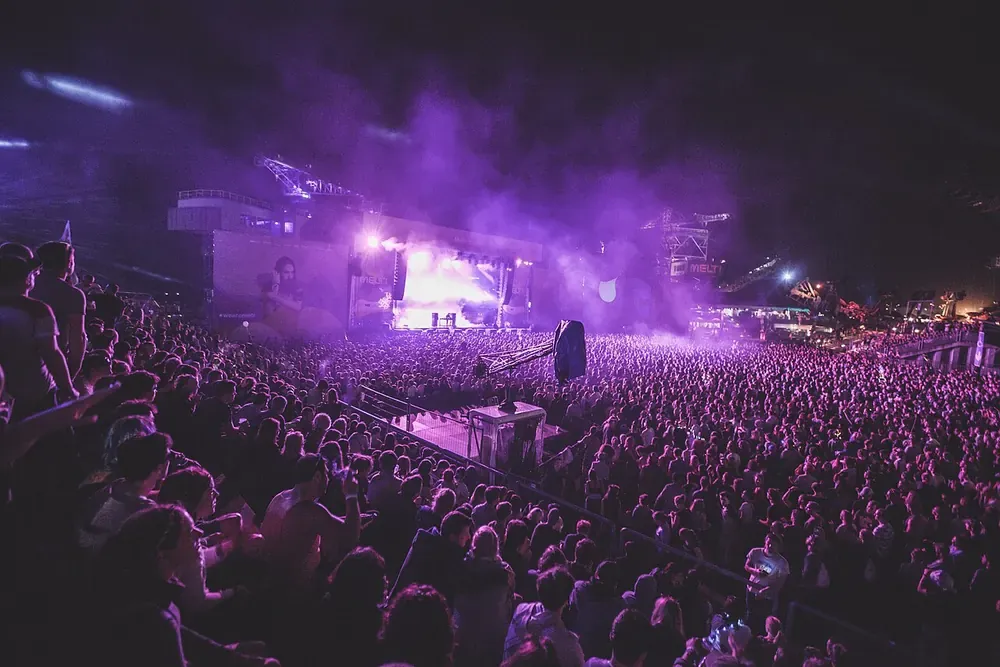 Photos and short videos of your lights and rooms on social media should link to the booking page. Photo: Yvette de Wit (CC0).
Whenever you post photos or videos, add the booking link. Viewers tap through, see the price and book without messaging.
Build your karaoke bar website for free
You don’t need to hire a developer. See how to create a free website, or open the karaoke bar template in the free website template library. Change the name, photos and prices of each room type, time bands, party packages, menu and contact details, and go live in about 5 minutes. The time-band price table, the booking form with live totals and birthday packages are built in.
Templates in this article

Frequently asked questions
Should I publish karaoke room prices?
Yes. Prices per room type and time band let groups split the bill in advance, so they ask fewer questions and argue less at checkout.
Can online bookings clash?
A simple website does not lock rooms. Each request reaches your WhatsApp or Google Sheets; you check and confirm. Say "we confirm within 15 minutes".
How are prices charged when the band changes?
Hour by hour, by band. For example 4–6 pm on Friday is one daytime hour plus one evening hour. The Kingpes template adds it up this way.
Does a small bar with a few rooms need a website?
It helps if it's free. A page with room photos, prices and a booking button helps new guests find you on Google and cuts price questions.
Related articles
Wedding dress rental website: collection and fittings
A wedding dress rental website lets brides browse by code, see rental prices and deposits, and book a fitting themselves. 7 things it needs, built free.

Vet clinic website: 7 sections that win pet owners' trust
A vet clinic website needs an emergency number, prices by dog, cat and weight, a vaccine schedule from birth date and online booking. Build it free.

Law firm website: 7 sections that build trust and bookings
A law firm website needs clear practice areas, published consultation fees, a document checklist, your lawyers, confidentiality and online booking.