
Create a Free Website for Your Shop in 5 Minutes: 7 Steps
How to create a free website for a small shop in 7 steps, no code needed: pick a template, add products, take orders and go live at no cost.
You run a small shop and want customers to find you on Google, but a website sounds expensive, slow and technical? In fact you can create a free website for your shop with just a phone or a computer, and have a first version ready in about 5 minutes. This guide walks you through every step, from picking a template to seeing your site live.
Quick summary, 7 steps to create a free website for your shop:
- Pick a template made for your trade
- Change your shop name, logo and colors
- Add products, prices and real photos
- Add contact and ordering options
- Publish your website for free
- Connect your own domain (optional)
- Put your website in front of customers
1. Pick a template made for your trade
The most important step is choosing a ready-made template built for your kind of business.
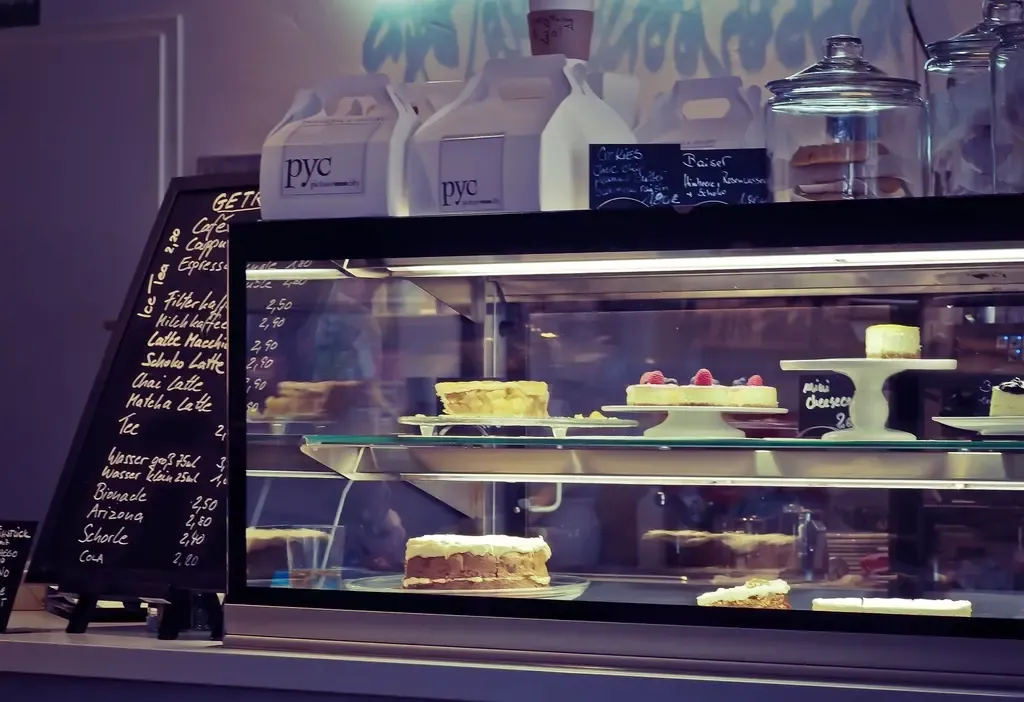 Every trade needs different sections: a bakery needs a priced menu, a café needs drinks by size. Photo: rawpixel (CC0).
A trade-specific template already has what customers look for: a bakery template lists cakes with prices, a café template shows drinks by size and opening hours, a spa template has a service price list and booking. You don’t design the layout, you just replace the content.
Open the free website template library, filter by category and tap Preview to open the live version on your phone. Found one you like? Tap Use template. For example: bakery website template, coffee shop template, spa template.
2. Change your shop name, logo and colors
The template opens in the editor with a live preview next to it. Whatever field you edit changes in the preview right away.
In the Content tab, enter your shop name, a short intro line and a header photo. In the Design tab, pick a main color that matches your sign or logo, and change button labels, for example “Order a cake” instead of “Order”.
Tip: keep the intro line short and say what you sell and where, for example “Fresh cakes every morning, delivered across Austin”. It helps visitors understand you instantly and helps Google understand your site.
3. Add products, prices and real photos
This is the part customers look at most, so take your time.
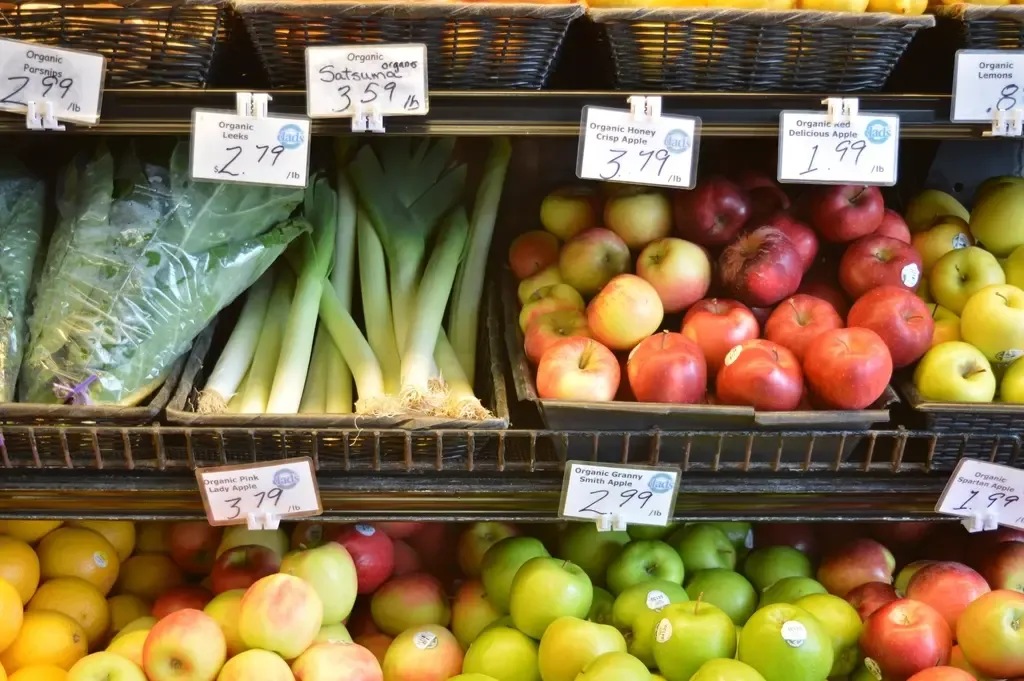 Clear prices, like tags on a shelf, help customers decide fast without asking. Photo: rawpixel (CC0).
In the Products tab, add categories (for example cakes, bread, drinks), then add each item with a name, price and photos. On a phone you can take photos straight from the camera while adding a product. Give each item 1–3 real photos taken in good light.
With many products, use the .csv spreadsheet download to edit everything in Excel or Google Sheets, then import it back. If you sell to several countries, each one gets its own prices and currency.
4. Add contact and ordering options
A website only helps if customers can reach you the moment they want to buy.
 Shoppers want to ask about sizes and prices right away: the order button must be in plain sight. Photo: Artem Beliaikin (CC0).
In the Contact tab, add your phone number, WhatsApp, address (the map follows your address) and opening hours. For tidier orders, turn on orders via Google Form: each order becomes a row in your Google Sheet, and you can switch on email alerts for new orders.
This tab also has delivery app links, a holiday closure notice, a returns policy and your website’s QR code.
5. Publish your website for free
When the preview looks right, click Publish. Choose a site name (it goes in the address), then sign in with a free GitHub account. GitHub stores and runs your website, with HTTPS (the padlock in the browser) included.
About 1–2 minutes later your site is live 24/7. It lives in your own account, so you own it. To make changes, reopen the editor, edit and click Update website.
Not ready for an account? You can download the website as a .zip file to keep it or have someone publish it for you later.
6. Connect your own domain (optional)
The free address looks like youraccount.github.io/yourshop and works right away. For a short address you can print on signs, such as yourshop.com, buy a domain from a provider (usually yearly) and choose Your own domain in the publish dialog.
The editor shows the DNS records to add at your domain provider, with Copy buttons and a Check domain button. Once the domain points correctly, HTTPS turns on automatically. There is no extra fee beyond the domain itself.
7. Put your website in front of customers
A new website doesn’t bring visitors by itself. Put it everywhere customers already meet you.
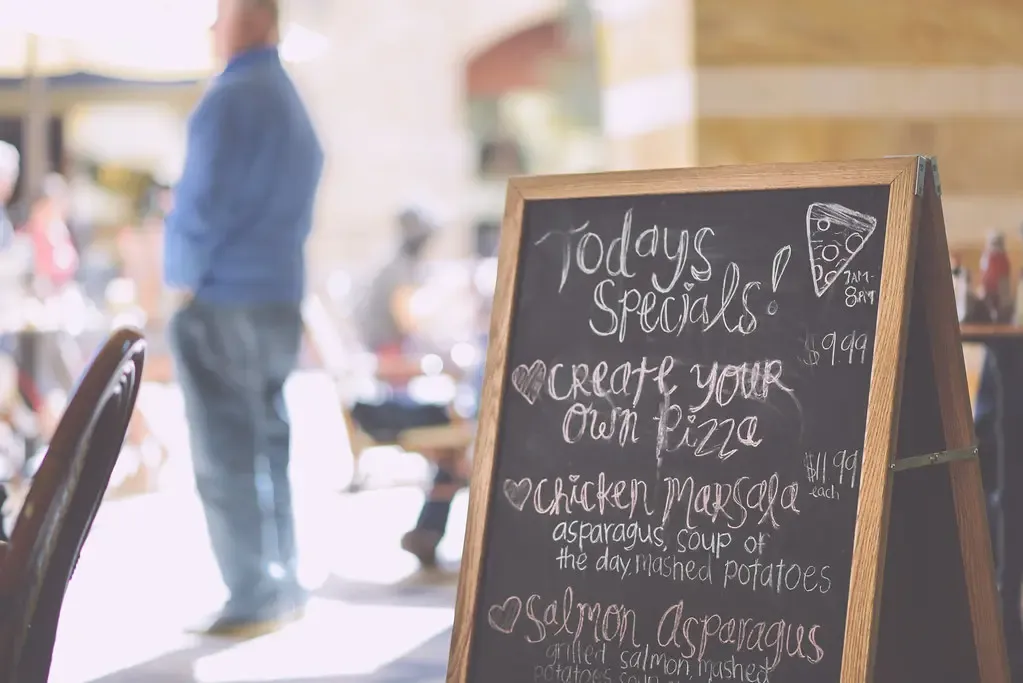 Like the board by the door, a website needs regular updates: new items, new prices, offers. Photo: pixellaphoto (CC0).
- Print your website’s QR code (download it in the Contact tab) for the counter, tables and bags.
- Add the link to Google Maps through Google Business Profile, so people searching “bakery near me” also see your website.
- Put the link on Instagram, Facebook, TikTok and WhatsApp Business, and in your message signature.
- Update often: new items, new prices, holiday hours. Fresh information builds trust.
What are the limits of a free website?
To be clear, so you choose well:
- No online checkout or shopping cart yet. Customers order by phone, WhatsApp or Google Form, and you confirm and get paid as you do today.
- You need a GitHub account to publish. It is free and takes a few minutes; the sign-in page has a sign-up button.
- Having a website doesn’t mean ranking first on Google right away. It takes time, clear content and regular updates.
If your shop needs a cart, online payments or its own server, see the advanced plan. If you just need a good-looking website where customers can find you, browse and order, the free version is enough.
Start now: go to the Kingpes home page, type your trade in the search box and pick a template. Your first version takes about 5 minutes.
Guides by industry and season
Already have a website? These guides show what to add for each type of business and each sales season:
- What Should a Bakery Website Include? 8 Must-Have Sections
- How to Make a Free QR Code Menu for Your Café in 6 Steps
- Nail Salon Website: 8 Things That Get Clients to Book
- Vacation Rental Website: 7 Things That Get Direct Bookings
- Dental Practice Website: 7 Things That Get Appointments
- Free Online Wedding Invitation: How to Make and Send It
- Women’s Day Promotion Ideas for Spas, Bakeries and Cafés
- 11.11 Sale Ideas for Small Shops: 8 Easy Promotions
- Why Does a Small Business Need a Website? 7 Reasons
- Free Website Builders Compared: Kingpes, Google Sites, Wix
- Add Your Business to Google Maps: 7 Free Steps
- Black Friday Ideas for Small Shops: 8 Promotions to Try
- Create a Free Online Store Website, No Coding Needed
- Product Photography With a Phone: 7 Tips for Small Shops
- Gym Website: 7 Things That Turn Visitors Into Members
- Lunar New Year 2027 for small shops: website, menu, offers
- Website or Facebook page: what should a small shop choose?
- Interior design website: 7 things that win trust and calls
- QR codes for shops: 6 uses beyond the menu
- Five-a-side pitch website: take bookings online, not by text
- Manage badminton court bookings in Google Sheets for free
- Pickleball club website: 7 things it needs
- Hotel website: take direct bookings, pay less commission
- Car rental business: the website and paperwork you need
- Room for rent ads: your own website or social media groups?
- Wedding dress rental website: collection and fittings
- Karaoke bar website: take room bookings online, clear prices
- Meeting room rental by the hour: take bookings online
- Vet clinic website: 7 sections that win pet owners’ trust
- How to start a cooking class business with steady bookings
- Real estate agency website: 7 sections that win viewings
- Law firm website: 7 sections that build trust and bookings
Templates in this article


Frequently asked questions
Is creating a free website really free?
The template, editor, web address and HTTPS are all free. You only pay if you want your own domain such as yourshop.com, billed yearly by the domain seller.
Can I build a website without knowing how to code?
Yes. You type text, swap photos and set prices in ready-made fields; the design and mobile layout are already done.
Can a free website take orders?
Yes. Customers call, message you on WhatsApp, or fill in a Google Form that drops each order into your Google Sheet. The free website has no online checkout yet.
What account do I need to publish?
A free GitHub account, which stores and runs your website. If you are not ready for an account, you can download the website as a .zip file.
Related articles

Wedding dress rental website: collection and fittings
A wedding dress rental website lets brides browse by code, see rental prices and deposits, and book a fitting themselves. 7 things it needs, built free.

Karaoke bar website: take room bookings online, clear prices
A karaoke bar website shows your rooms and hourly prices by time band, and lets groups book with a live estimate. 7 things it needs, built free.

Vet clinic website: 7 sections that win pet owners' trust
A vet clinic website needs an emergency number, prices by dog, cat and weight, a vaccine schedule from birth date and online booking. Build it free.