
Vacation Rental Website: 7 Things That Get Direct Bookings
What a vacation rental website needs for direct bookings: real room photos, nightly rates, house rules, directions, chat buttons and a nights calculator.

Guests look very carefully before booking a stay: what the room looks like, the weekend rate, whether the road is hard to drive. A vacation rental website that answers those questions gives guests the confidence to message you and book directly, instead of asking again and again or booking through a middleman. This guide lists 7 sections every small homestay, B&B or guesthouse should have, and how to present them.
Quick summary, a vacation rental website needs 7 sections:
- Real photos of every room and shared space
- Nightly rates: weeknights, weekends, holidays
- Room details and amenities
- Check-in, check-out and house rules
- What’s nearby and how to get there
- Quick booking buttons and a nights calculator
- Guest reviews and Google Maps
1. Real photos of every room and shared space
Photos are the first thing guests look at, and they look the longest. Guests want to know exactly where they will sleep.
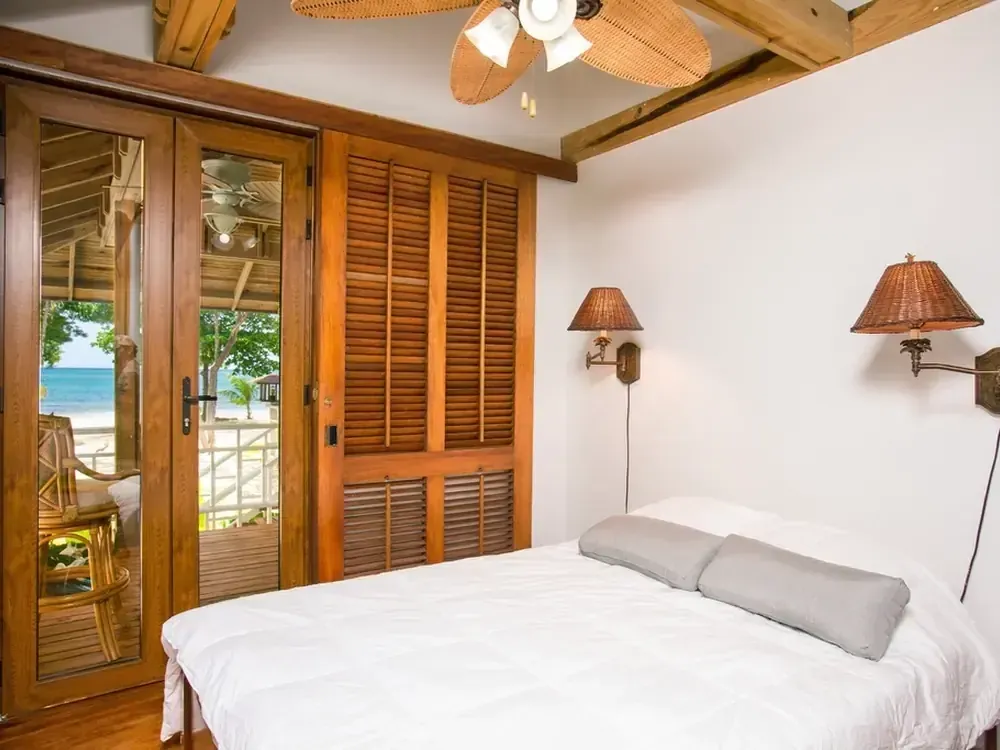 One clear photo of the bed, window and natural light answers “what does the room look like” faster than any description. Photo: rawpixel (CC0).
- 3–5 photos per room: the whole room, the bed, the bathroom, the view from the window or balcony.
- Shared spaces: garden, kitchen, breakfast area, evening seating corner.
- Shoot in daylight, tidy up, go easy on filters. Photos that look very different from reality lead to bad reviews.
- Group photos (rooms, spaces, food, surroundings) so guests find what they need fast.
2. Nightly rates: weeknights, weekends, holidays
Guests often leave when they have to message to ask the price. Show prices clearly next to each room:
- Weeknight rate and weekend rate (usually Friday and Saturday nights) shown separately.
- Holidays: write “holiday rates on request” or the exact price if it’s set.
- What’s included: breakfast, maximum guests, extra person or child fees.
- A direct-booking perk, such as free breakfast or a discount for 3+ nights, so guests have a reason to book on your website.
Clear prices also save you from answering the same question many times a day.
3. Room details and amenities
Besides photos and prices, guests need a few short facts to compare rooms quickly:
- Maximum guests, bed type and room size for each room.
- Amenities: Wi-Fi, hot water, air conditioning or heating, shared kitchen, parking.
- What makes each room special: a balcony over the fields, a bathtub, a family room with a loft.
Keep it short, with icons or bullet points. Guests read on their phones, not long paragraphs.
4. Check-in, check-out and house rules
Saying things up front avoids misunderstandings when guests arrive:
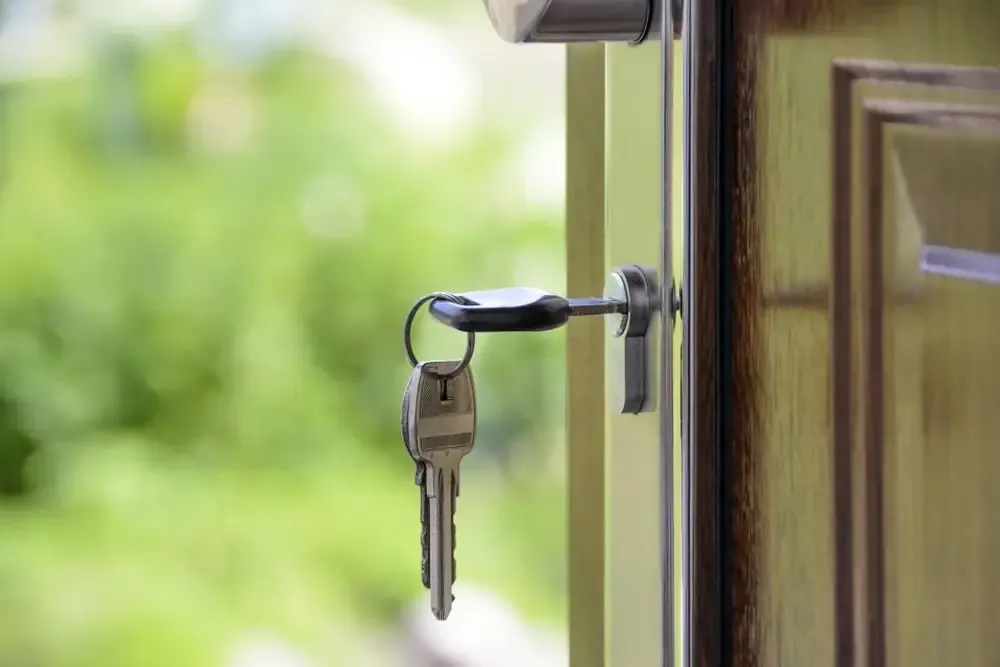 Check-in times, how to get the keys and house rules belong on your website, not in a phone call on arrival. Photo: WDnet Studio (CC0).
- Check-in and check-out times, and whether early check-in or late check-out is possible.
- Deposit and cancellation: how much, and how far ahead guests can cancel for a refund.
- House rules: quiet hours, pets, smoking, cooking.
- ID needed at check-in.
5. What’s nearby and how to get there
Guests choose a stay partly because it is close to what they want to see. Show them what they will do during their trip:
 Guests book the surroundings as much as the room, so show them in advance. Photo: Matt Bango (CC0).
- Nearby sights with distance or travel time: waterfalls, markets, beaches, old towns.
- Places to eat and bike or scooter rentals you usually recommend.
- Directions from the bus station or airport, difficult road sections (steep, unpaved) and where to park.
- An embedded Google map so guests can tap for directions.
6. Quick booking buttons and a nights calculator
Once guests like your place, they should be able to book in seconds, especially on a phone:
- WhatsApp and call buttons always visible at the bottom of the phone screen.
- A booking form: room, arrival date, departure date, number of guests. The form counts the nights and estimates the total using your weeknight and weekend rates.
- Requests arrive in WhatsApp or your Google Sheet, then you confirm availability and explain the deposit.
- Say “the host confirms availability shortly” so guests don’t assume the booking is final, avoiding clashes with bookings from other channels.
Kingpes’ homestay website template comes with a booking form that counts nights and estimates the total, weeknight and weekend rates for each room, a grouped photo album and a nearby section.
7. Guest reviews and Google Maps
New guests trust past guests more than the host:
- A few real reviews with a name (or initials) and month of stay.
- A button to see more reviews on Google, so guests know you didn’t write them yourself.
- Your Google Maps listing linked to your website. If you don’t have one yet, see how to add your business to Google.
- Ask guests for a review at check-out, with a QR code to your review page.
A vacation rental website doesn’t need to be fancy. Real photos, clear prices, clear rules and an easy booking button are enough to get more direct bookings. No website yet? See how to create a free website step by step, or pick a free website template and swap in your photos, room rates and details in about 5 minutes.
Templates in this article

Homestay
FreeFrequently asked questions
My place is already on booking sites. Do I still need my own website?
Yes. Booking sites help new guests find you, while your own website is where returning guests and people searching on Google can book directly, with no commission on that booking. You can use both side by side.
Does a vacation rental website need online payment?
Not necessarily. Many small hosts take booking requests by message or form, confirm availability, then send payment details for the deposit. Just state the deposit and cancellation policy clearly.
How do I avoid double bookings with booking sites?
Don't let your website confirm automatically. Say "the host confirms availability shortly", then check your calendar on every channel before taking a deposit.
How many photos should I put on the website?
A few clear photos per room (bed, bathroom, view), plus shared spaces, food and the surroundings. Real daylight photos matter more than quantity.
Related articles

Wedding dress rental website: collection and fittings
A wedding dress rental website lets brides browse by code, see rental prices and deposits, and book a fitting themselves. 7 things it needs, built free.

Karaoke bar website: take room bookings online, clear prices
A karaoke bar website shows your rooms and hourly prices by time band, and lets groups book with a live estimate. 7 things it needs, built free.

Vet clinic website: 7 sections that win pet owners' trust
A vet clinic website needs an emergency number, prices by dog, cat and weight, a vaccine schedule from birth date and online booking. Build it free.